Exploring the World of FreeCAD: An Introduction
In the rapidly evolving landscape of computer-aided design software, FreeCAD stands out as a powerful and versatile tool that is capturing the attention of designers, engineers, and hobbyists alike. As an open-source parametric 3D CAD modeler, FreeCAD offers a unique blend of flexibility and functionality that caters to a wide range of design needs. Whether you are an experienced professional looking to expand your toolkit or a curious beginner eager to dive into the world of 3D modeling, FreeCAD provides an accessible and robust platform to bring your ideas to life.
FreeCAD is not just another CAD software; it is a community-driven project that thrives on collaboration and innovation. This open-source nature means that users have the freedom to customize and extend the software’s capabilities according to their specific requirements. With a growing library of add-ons and modules, FreeCAD continuously evolves to meet the diverse demands of its user base. This adaptability makes it an attractive choice for those who need a cost-effective solution without compromising on quality or performance.
One of the key strengths of FreeCAD is its parametric modeling capability. This feature allows users to modify their designs easily by going back into the model history and changing parameters, ensuring a high level of precision and control over the design process. This makes FreeCAD particularly valuable for projects that require iterative design and refinement, as it streamlines the workflow and enhances productivity.
Moreover, FreeCAD’s comprehensive suite of tools supports a wide array of applications, from product design and mechanical engineering to architecture and electrical engineering. Its intuitive interface and extensive documentation make it accessible to users with varying levels of expertise, while its compatibility with a range of file formats ensures seamless integration with other software tools.
In this article, we will delve deeper into the features and capabilities of FreeCAD, exploring what sets it apart from other CAD software options and how it can be leveraged to achieve exceptional design outcomes. Whether you are interested in creating intricate mechanical components or exploring architectural concepts, FreeCAD offers a dynamic and supportive environment to turn your creative visions into reality.
Diving into FreeCAD: Features and Applications
Understanding FreeCAD’s Core Features
FreeCAD is renowned for its robust set of features that cater to a wide range of design and engineering needs. At its core, FreeCAD is a parametric 3D modeler, which means that it allows users to modify designs by adjusting parameters. This parametric modeling capability is essential for creating complex models that require precision and flexibility. Users can easily revisit their design history to make changes, ensuring that the design process is efficient and adaptable to new requirements.
The software is built on an open-source platform, which means it is constantly evolving with contributions from a global community of developers and users. This collaborative development process results in a dynamic tool that is continuously enhanced with new features and improvements. FreeCAD’s modular architecture allows users to customize their experience by adding or removing functionality according to their specific needs. This makes it a versatile tool for a variety of industries, from mechanical engineering to architecture.
Exploring the Versatility of FreeCAD
One of the standout features of FreeCAD is its ability to support a wide range of applications. For mechanical engineers, FreeCAD offers tools to create detailed models of components and assemblies, complete with constraints and simulations. Its ability to handle complex geometries and perform finite element analysis (FEA) makes it an invaluable tool for designing and testing mechanical systems.
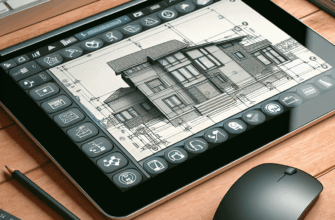
In the field of architecture, FreeCAD provides a comprehensive suite of tools for creating building models, including tools for drafting, modeling, and rendering. Its integration with the BIM (Building Information Modeling) workflow allows architects to create detailed and accurate building models that can be used throughout the design and construction process. The software’s ability to import and export various file formats ensures compatibility with other CAD tools commonly used in the industry.
For hobbyists and makers, FreeCAD offers an accessible platform to explore 3D modeling. Its user-friendly interface and extensive online resources make it easy for beginners to learn the basics of 3D design. Additionally, the software’s support for 3D printing allows users to bring their digital creations into the physical world, making it a popular choice among DIY enthusiasts.
FreeCAD: A Community-Driven Project
The success of FreeCAD can be attributed to its vibrant and active community. As an open-source project, FreeCAD relies on the contributions of developers, designers, and users from around the world. This collaborative approach not only drives innovation but also ensures that the software remains relevant and responsive to the needs of its users. The community is an invaluable resource for new users, offering forums, tutorials, and documentation to help them get the most out of the software.
Conclusion
In conclusion, FreeCAD is a powerful and flexible tool that offers a wealth of features for a diverse range of applications. Its open-source nature and parametric modeling capabilities make it an attractive choice for professionals and hobbyists alike. Whether you are designing intricate mechanical parts, developing architectural models, or exploring the world of 3D printing, FreeCAD provides the tools and support needed to bring your ideas to life. With its active community and continuous development, FreeCAD is poised to remain a leading choice in the world of computer-aided design.