Introduction to DWG FastView for Windows
In the realm of computer-aided design (CAD), the ability to view, edit, and manage drawing files efficiently is crucial for architects, engineers, and designers. Among the myriad of software solutions available, DWG FastView for Windows stands out as a powerful and versatile tool tailored to meet the demands of professionals who work with DWG files. As digital designs become increasingly complex, the need for a reliable and user-friendly platform to handle these files is more important than ever. DWG FastView for Windows answers this call, offering a robust set of features that cater to both novices and seasoned CAD users.
DWG FastView for Windows is a dedicated CAD viewer and editor that supports a wide range of file formats, including the widely used DWG and DXF formats. It is designed to offer seamless performance, enabling users to open and manipulate large files without compromising on speed or quality. This software provides a comprehensive suite of tools that allow users to perform a variety of tasks, from simple viewing to complex editing and annotation. With its intuitive interface and powerful capabilities, DWG FastView for Windows empowers users to bring their design visions to life with precision and ease.
One of the key advantages of DWG FastView for Windows is its accessibility. It is crafted to be user-friendly, ensuring that even those new to CAD software can navigate its features with ease. This accessibility does not come at the expense of functionality; the software is equipped with advanced tools that cater to the intricate needs of professional designers. Moreover, DWG FastView for Windows is compatible with various versions of DWG files, ensuring that users can work with designs regardless of the software version they were originally created in. This compatibility is crucial for professionals who collaborate across different platforms and need to ensure that their work is universally accessible.
In addition to its core functionalities, DWG FastView for Windows also offers a range of customization options, allowing users to tailor the software to their specific workflows. Whether it is adjusting the interface layout or configuring tool settings, users have the flexibility to create an environment that enhances their productivity. Furthermore, the software is regularly updated to incorporate the latest advancements in CAD technology, ensuring that users always have access to cutting-edge tools and features.
In this article, we will delve deeper into the main features and benefits of DWG FastView for Windows, exploring how this software can enhance your CAD experience and streamline your design processes. Whether you are an architect looking to visualize your blueprints or an engineer needing to make precise modifications to technical drawings, DWG FastView for Windows offers the tools and capabilities you need to succeed.
Exploring the Features of DWG FastView for Windows
DWG FastView for Windows is a comprehensive CAD solution designed to meet the diverse needs of professionals who work with DWG files. This software is not only a viewer but also a powerful editor that provides a wide array of features aimed at enhancing productivity and ensuring precise design work. In this section, we will explore the key functionalities that make DWG FastView for Windows an essential tool for CAD users.
DWG FastView for Windows
DWG FastView for Windows is engineered to offer a seamless experience when handling DWG files. It supports multiple file formats, including DWG, DXF, and DWF, making it a versatile choice for users who work with different types of CAD files. The software allows users to open, view, and edit files with ease, ensuring that even large and complex drawings can be managed without lag or performance issues. This capability is particularly beneficial for professionals who need to review detailed plans and make real-time modifications.
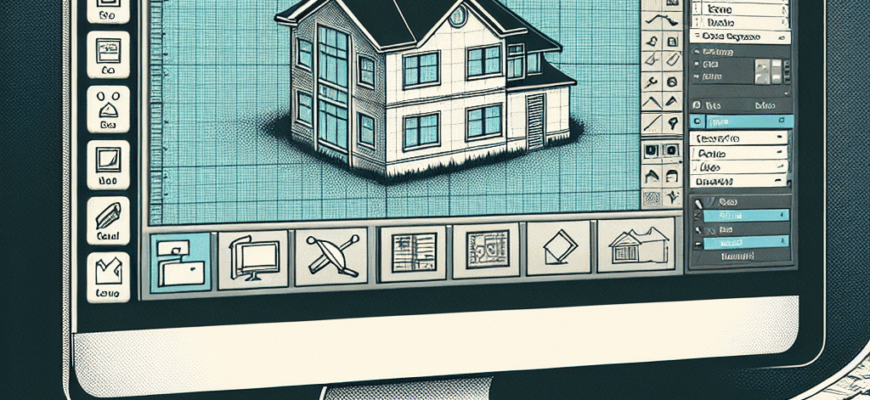
One of the standout features of DWG FastView for Windows is its user-friendly interface. The software is designed to be intuitive, allowing users to quickly access the tools they need. The clean layout and organized toolbars ensure that even those new to CAD software can navigate the platform efficiently. Additionally, the software includes a range of viewing options, such as 2D and 3D viewing modes, which provide users with the flexibility to examine their designs from different perspectives.
Advanced Editing Tools
Beyond viewing capabilities, DWG FastView for Windows offers an impressive suite of editing tools that enable users to modify their drawings with precision. Users can add or remove elements, annotate designs, and make dimensional adjustments with ease. The software also supports layer management, allowing users to organize their drawings into different layers for better clarity and control. This feature is particularly useful for complex projects that require detailed organization and management.
Another key aspect of DWG FastView for Windows is its ability to handle annotations and markups. Users can add comments, measurements, and other annotations directly onto the drawing, facilitating better communication and collaboration with team members. This functionality is essential for projects that involve multiple stakeholders, as it ensures that everyone is on the same page and can provide input directly on the design.
Collaboration and Compatibility
In today’s collaborative work environments, the ability to share and collaborate on designs is crucial. DWG FastView for Windows excels in this area by offering robust collaboration features. Users can easily share their drawings with colleagues or clients, ensuring that feedback and revisions can be managed efficiently. The software also supports cloud storage integration, allowing users to access their files from anywhere and collaborate in real-time.
Compatibility is another strength of DWG FastView for Windows. The software is designed to work with various versions of DWG files, ensuring that users can open and edit files regardless of the software version they were originally created in. This compatibility is vital for professionals who work with clients or partners using different CAD platforms, as it removes barriers to collaboration and ensures seamless workflow integration.
Conclusion
DWG FastView for Windows is a powerful and versatile tool that caters to the needs of CAD professionals across various industries. Its comprehensive features, user-friendly interface, and robust editing capabilities make it an essential software for anyone working with DWG files. Whether you are an architect, engineer, or designer, DWG FastView for Windows provides the tools you need to enhance your workflow, improve collaboration, and achieve precision in your design work. With its focus on accessibility and compatibility, this software is poised to be a valuable asset in any CAD toolkit.