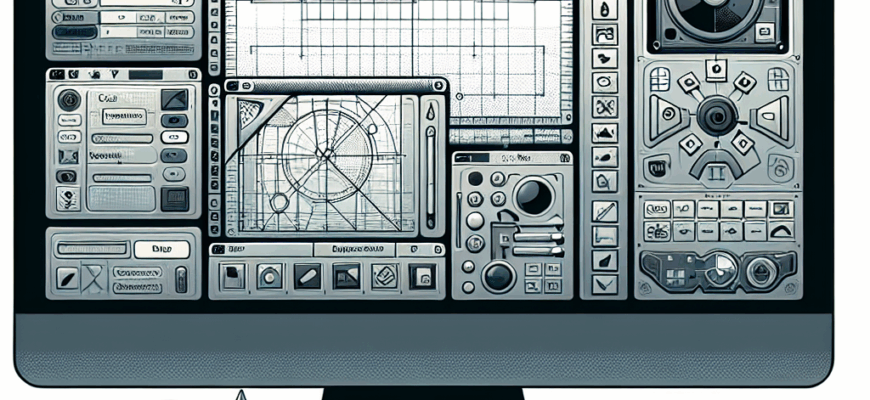
Introduction to DraftSight: A Comprehensive Overview
In the ever-evolving world of computer-aided design (CAD), professionals and hobbyists alike are constantly seeking tools that offer precision, versatility, and ease of use. Among the myriad of options available, DraftSight has emerged as a powerful contender, providing users with a robust platform for creating, editing, and managing 2D and 3D drawings. This software caters to a diverse range of industries, including architecture, engineering, and construction, making it a valuable asset for anyone involved in design and drafting.
DraftSight is a professional-grade CAD software that offers a wide array of features tailored to meet the needs of both beginners and seasoned professionals. Developed by Dassault Systèmes, a leader in 3D design and engineering software, DraftSight combines advanced functionality with an intuitive user interface, ensuring that users can quickly adapt to its environment and maximize their productivity. Whether you are working on a simple floor plan or a complex mechanical design, DraftSight provides the tools necessary to bring your ideas to life with precision and efficiency.
One of the key strengths of DraftSight is its compatibility with the widely-used DWG file format, which ensures seamless integration with other CAD applications and facilitates collaboration across different teams and platforms. This compatibility allows users to easily share their work and access a vast library of existing designs, enhancing the overall workflow and reducing the time spent on project development. Additionally, DraftSight supports a variety of other file formats, making it a versatile choice for professionals who require flexibility in their design processes.
Beyond its technical capabilities, DraftSight is also known for its affordability and accessibility. Unlike some of its competitors, DraftSight offers a range of pricing options, including a free version for individual users and more advanced versions for businesses and educational institutions. This tiered approach ensures that users can select the version that best suits their needs and budget, making high-quality CAD software accessible to a broader audience.
In this article, we will delve deeper into the features and benefits of DraftSight, exploring how it stands out in the competitive CAD market. We will also examine the various applications of DraftSight across different industries and provide insights into how users can leverage its capabilities to enhance their design projects. Whether you are new to CAD software or looking to switch from another platform, this comprehensive overview will equip you with the knowledge needed to make an informed decision about incorporating DraftSight into your workflow.
Exploring the Features and Applications of DraftSight
DraftSight is a versatile and powerful CAD software that has gained popularity among designers, engineers, and architects for its comprehensive set of features and user-friendly interface. It offers a range of tools and functionalities that cater to the diverse needs of professionals in various industries. In this section, we will explore the key features of DraftSight and how they contribute to its effectiveness as a design tool.
DraftSight
At the core of DraftSight’s appeal is its robust set of drafting and design tools that allow users to create precise 2D and 3D models. The software provides a comprehensive suite of drawing tools, including lines, arcs, circles, and polylines, which enable users to construct detailed designs with accuracy. Additionally, DraftSight offers advanced editing tools that allow for modifications and adjustments to existing drawings, ensuring that users can refine their designs to meet specific requirements.
One of the standout features of DraftSight is its ability to handle complex projects with ease. The software supports layers, blocks, and groups, which help users organize their drawings efficiently and manage intricate details without clutter. This organizational capability is particularly beneficial for large-scale projects where maintaining clarity and structure is crucial.
DraftSight also excels in its compatibility with the DWG file format, a standard in the CAD industry. This compatibility ensures that users can seamlessly open, edit, and save DWG files, facilitating collaboration with colleagues and clients who may be using different CAD applications. Moreover, DraftSight supports other file formats such as DXF and DGN, providing flexibility in importing and exporting designs across various platforms.
Another notable feature of DraftSight is its customization options. Users can tailor the software to suit their specific workflow by creating custom toolbars, menus, and keyboard shortcuts. This level of customization enhances productivity by allowing users to streamline their design processes and access frequently used tools with ease.
Applications Across Industries
DraftSight’s versatility makes it suitable for a wide range of applications across different industries. In architecture, the software is used to create detailed floor plans, elevations, and sections, enabling architects to visualize and communicate their designs effectively. The precision and accuracy of DraftSight’s tools ensure that architectural drawings meet industry standards and client expectations.
In the engineering sector, DraftSight is employed to design mechanical components, assemblies, and systems. The software’s ability to handle complex geometries and its support for 3D modeling make it an invaluable tool for engineers working on intricate designs. Additionally, DraftSight’s simulation capabilities allow engineers to test and validate their designs before moving to the production phase.
The construction industry also benefits from DraftSight’s capabilities, as it enables professionals to create site plans, structural details, and construction documentation. The software’s layer management and annotation tools facilitate clear communication among project stakeholders, ensuring that construction projects are executed smoothly and efficiently.
Conclusion
DraftSight stands out in the CAD software landscape due to its comprehensive features, compatibility with industry-standard file formats, and versatility across various applications. Its robust drafting tools, customization options, and support for complex projects make it a valuable asset for professionals in architecture, engineering, and construction. By offering a range of pricing options, DraftSight ensures accessibility to a wide audience, making high-quality CAD software available to both individual users and large organizations. As a result, DraftSight continues to be a preferred choice for those seeking a reliable and efficient design tool.